Hello everyone!
You're now able to mark and outline various entities in the game. The Farming skill has been expanded with a compost system and many new plantations. The Thieving skill has been made more convenient requiring less clicking. Last but not least the Lighting System has been expanded with spell and effect lights.
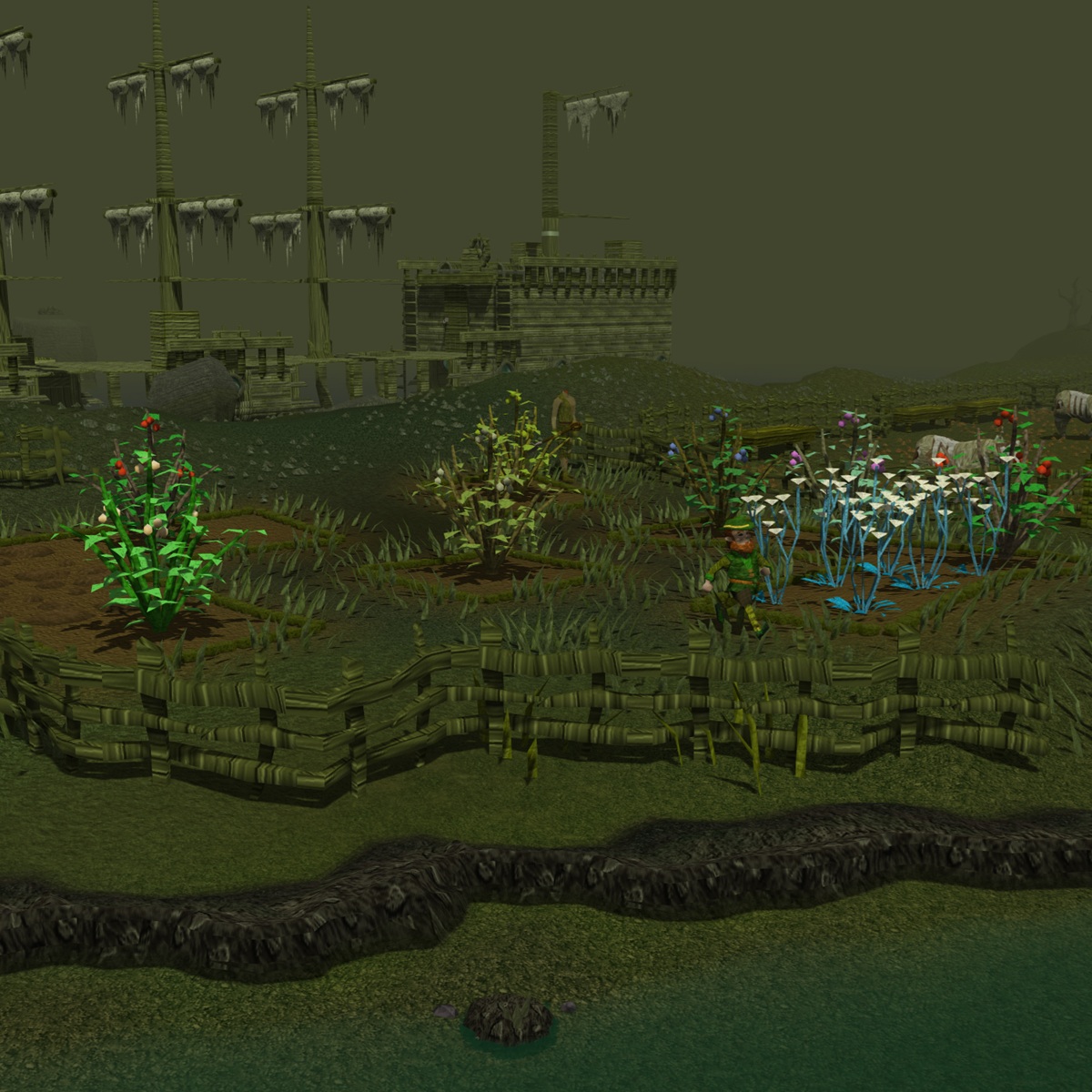
Farming - Expansion & CompostThe amount of crops you can plant has been doubled! You can obtain the new seeds by stealing them from Farmers or as new drops from monsters. Following seeds have been added:
- Marigold
- Rosemary
- Nasturtiums
- Woad leaf
- Red berries: used in pie baking
- White berries: Herblore ingredient
- Oranges: can be used as combo food
- Dwell berries
- Curry leaves
- Papaya fruits: can be used as combo food
- Cadava berries
- Poisonivy berries: new weapon poison ingredient
- Coconut: can be turned into Coconut oil
- Pineapple
- Calquat fruit: creats Calquat keg
- Potato cactus: Herblore ingredient
- Janger berries: Herblore ingredient
Not all of these new plantations have a direct use already but they'll be implemented into other skills in the coming patches. It's now also possible to turn your crops into Compost. Using a compost on your patches these makes them immune to needs for a given set of growth cycles. A super compost counts for 12 growth cycles and a normal compost for 5. Your character automatically uses Compost on a patch when there is one in your inventory or Toolbelt. When a patch is in its "composted state" it cannot become diseased nor dead. Compost can be created by putting Farming items into a compost bin. These will rot into compost or super compost within 10 minutes of playtime after closing the bin. You can also use the Lunar spell "Fertile Soil" to add Super compost to your patches after planting.
 Marker & Tagging System
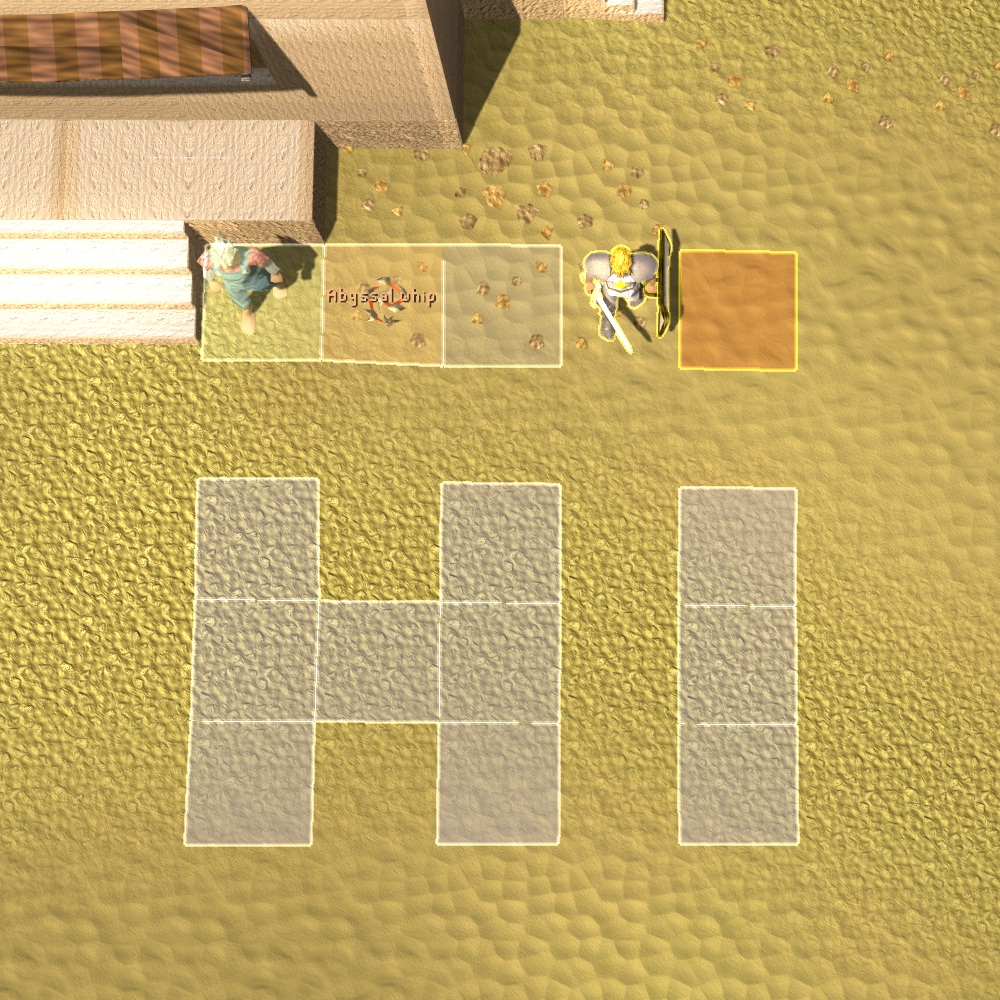
Your actions on entities are now highlighted by outlining your click and hover (PC only) events. This includes showing the tile your mouse cursor is on and where you're pathing to. Valuable items on the ground received a text box too. Moreover, you can toggle the tagging system from your settings which allows you to mark and outline various entities in the game. If you dislike any of these visual hints, you can disable them from your Game Settings under the Miscellaneous tab.
 Lighting System - Spells
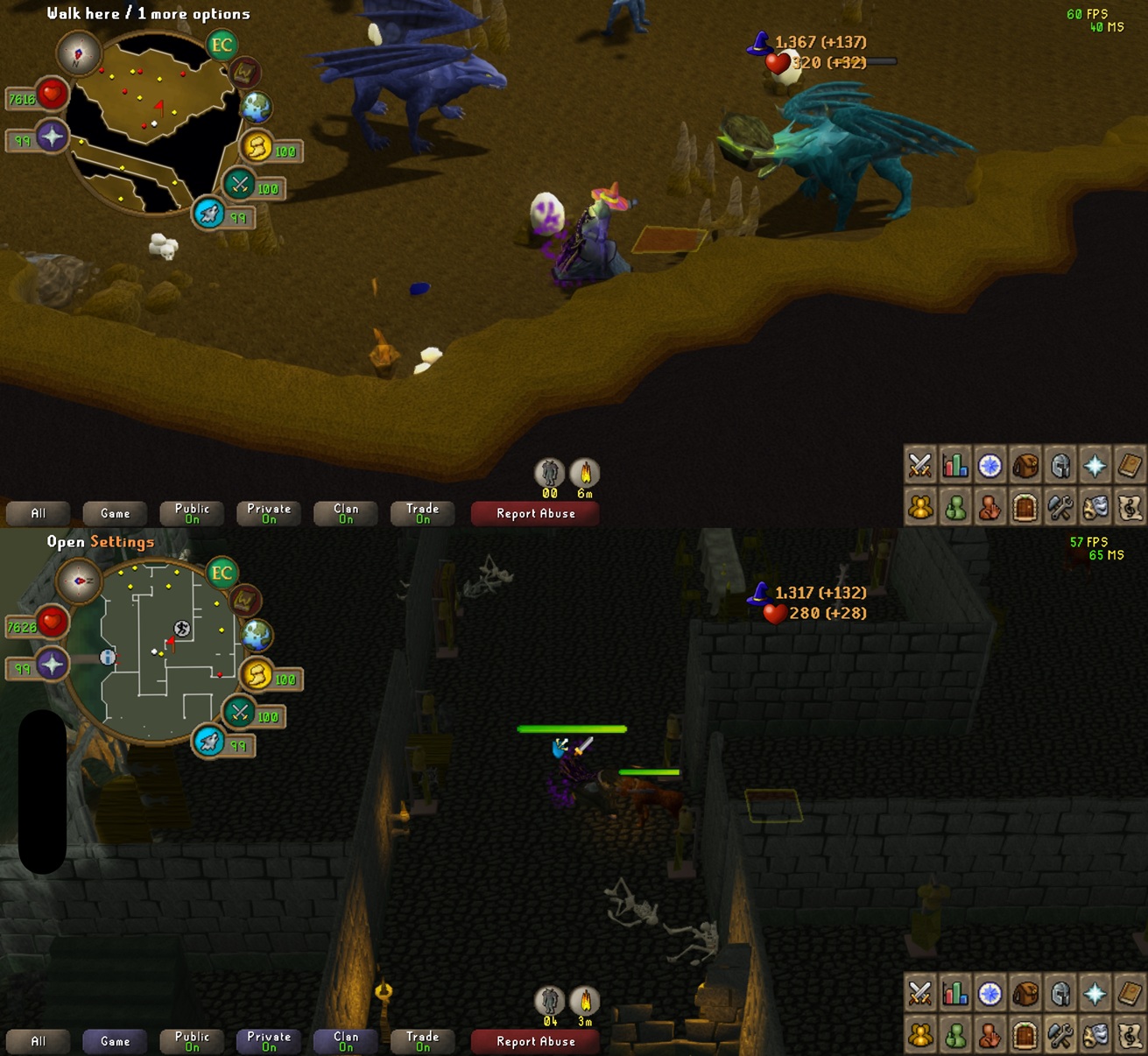
Various spells and effects have received a light attached to their animation. This renders significantly more light sources and is only available on High and Ultra setting for Lighting effects. The projectile for some bows and their special attacks also received a light source. While this is technically also supported on mobile I only recommend enabling it on high-end phones.
 Thieving - QoL
You now automatically thieve entities. You click once and attempt to steal loot until you are caught or have stolen all the items. Npcs now have a similar resource system as stalls. Once you emptied their pockets it takes some time until they restock their items. Various Thieving stalls across the world have had their models and click options fixed. A stall now also has significantly more resources before depleting. The detection range of guards for Thieving stalls has been reduced significantly. They can no longer spot you if you're more than 4 tiles away.
Software & OpenGL Renderers RemovedThe OpenGL Renderer (including its software renderer) is now officially removed. It is surpassed by the Mobile Renderer (also uses OpenGL) which can run on computers and phones. While the naming might suggest differently it is technically just the next version of the OpenGL renderer. This means the game now requires a working graphics driver installation on all devices with a minimum version of OpenGL ES 3.0. That runs on pretty much all mobile devices and computers that are not older than 14 years.
Changelog:- The settings tab has been re-organized. Less used options such as chat effects or split private chat were moved into the Miscellaneous Game Settings. The tagging system toggle and a drop option first option have been added. When enabled the game always prioritizes the Drop option in your inventory. It's the same as holding down CTRL on PC clients.
- The text of toggle settings is now included in their click area. This means you can also also click the text of a checkbox to toggle it.
- Inactive chatbox categories are now highlighted in blue when new messages are available.
- Tradeable Easter eggs can now be found in the Grand Exchange search.
- You can no longer get Ranging pedestals as daily task.
- The whiteberry bushes in Barbarian village have been removed. You can now plant and farm White berries in much greater quantities yourself!
- You can now put Pie shell into your Toolbelt. An error was fixed where clearing a burnt cake would return a pie shell instead of a pie dish. The same issue was present in your POH where you'd receive Pie shells instead of Pie dishes. The larder contains Bucket of water & Pot of flour that need to be mixed into dough for a Pie shell.
- Steel key ring which is required to access the Smoke Demon Champion can now be added to the Toolbelt.
- Agility skill interface now shows Shortcuts first.
- Herblore skill interface now shows Potions first.
- The three orc generals in Nomad's dungeon are now aggressive during the Nomad boss fight.
- An issue was fixed where dyes for projectiles or arrow drawbacks would not update when changing them during combat.
- Dyed Nightveil staff & Zaryte bow now apply their dye to projectiles as well.
- Particle effects for various elemental bows and the burning claws have been added back.
- The special attack for staff and sceptre of light has been re-added.
- Interface models (chat heads, equipment screen, etc.) are now using the lighting system when enabled.
- The Healer at the Grand Exchange now also wears her Party hat when talking to her.
- Entities you hover over now have priority render mode. When hovering over a player or npc that is under another one, it'll pop up with its appropriate outline.
- The current game version is no shown in the bottom-right corner when on login screen.
- The chat history has been reduced from 1000 messages to 500 for PC and 150 for mobile client. With that change the chat rendering code has also been optimized when lots of messages are in the history.
- Various internal calculations for maths & map loading have been overhauled to work better on mobile devices. They now allocate memory once and not continuously every frame when needed. The aim of these changes is to reduce the amount of micro stutters on older devices.
- An issue has been fixed where the Superheat spell would not correctly check for the Smithing level requirement to smelt a bar.
- The game client's way of requesting memory has been improved. It's pre-allocating most objects instead of dynamically requesting them. This improves performance on mobile clients a lot while also decreasing overall memory usage. Ironic, I know. On desktop clients this doesn't have that much of an impact, but also makes frame times stabler and thus improves performance.
I'm happy with how the mobile client has turned out. Thanks for all your feedback over the past months! Its current version has become a stable release candidate. I think that a release into official app stores of apple and android is not needed. I'll now be focusing on planning the next bigger update - a map expansion and/or new dungeons. I've recently been exploring options to export and import standard 3d model formats... So stay tuned!

All the best,
Thomy